A Typography & Layout Demo
This is a typography and layout test page for my Hugo + PaperMod setup.
This file is not intended to be indexed or accessible to crawlers.
It uses realistic content and exercises as many common Markdown features as I’m likely to use, so that I can see whether my font and CSS changes actually look good.
I’ll be using Serpentine Andada for body copy, Schibsted Grotesk for UI bits, and JetBrains Mono when I need
slightly taller headings. JetBrains Mono handles inline code and fenced snippets so the whole
stack mirrors the actual site. Let’s see how everything behaves: quotes, code, lists, tables,
shortcodes, footnotes, and more.
Paragraph Texture & Narrative Samples
Before I get lost in headings or tables, I want massive spans of plain text up front so I can judge rhythm, color, and how the page lightens or darkens as paragraphs stack together.
Paragraph Set 1 — The Overly Philosophical Typographer
Typography, if you listen to certain people, is nothing less than the silent architecture of thought. They will tell you, often uninvited, that a well-chosen serif is a moral imperative, and that your line height reveals your soul in ways your therapist could only dream of.
According to these folks, a good paragraph is not so much written as coaxed into being, shaped gently like wet clay on a potter’s wheel, though hopefully with less mess and fewer opportunities for existential crisis.
The true believer in letterforms sees kerning not as a mundane adjustment but as a tiny act of love. Every slight nudge of a glyph is a whispered promise that the reader’s eyes will never feel neglected, never stumble…
…and never wonder whether the word “minimum” is actually just a hallway of identical sticks arranged to test their resolve. And if you’ve ever fallen face-first into a badly set block of justified text, you already know these people might be onto something.
Paragraph Set 2 — The Pedantic Enthusiast
Ask a typographic enthusiast why they care so much and you’ll get a monologue that begins reasonably enough but eventually spirals into a rant about ligatures, hinting, and the “tragedy of faux small caps” as though civilization depends on it. They will warn you about the dangers of overly long line lengths, the sins of mixing two similar sans-serifs, and the criminal negligence of anyone who uses straight quotes in the year of our lord twenty-twenty-five.
This person can and will stop mid-conversation to complain about a stray widow, a lonely orphan, or a hyphen tragically stranded at the end of a sentence. They are incapable of reading a menu, a subway sign, or a shampoo bottle without evaluating it for typographic crimes. And honestly? They’re probably happier for it. Nothing delights them more than the perfect rhythm of a well-set paragraph or a line break that feels like a small, elegant bow.
Paragraph Set 3 — The Melodramatic Historian
Typography’s history is full of drama—feuds between punchcutters, type foundries sabotaging each other, and designers insisting their font was the only one capable of documenting the human condition. In a sense, every typeface is a tiny monument to someone’s obsession: a silent reminder that a person, somewhere, once cared very deeply about the shape of a lowercase “g.” Entire careers have been built on answering questions most people don’t even realize exist.
And yet, for all the technical lore and heated debates, typography remains fundamentally gentle. A paragraph neither demands nor shouts; it simply waits to be read.
A good typeface doesn’t thrust itself forward—it invites you in, the way warm light spills quietly across a hardwood floor. If you forget the text had a typeface at all, that’s usually how you know it was the right choice.
Italic Drift Study
Italic passages let me inspect delicate ligatures in words like office, official, affinity, efflorescence, flamboyant fjord, and stifle while also checking oldstyle numerals such as 3, 4, 5, 7, and 9 that might sprout descenders. I watch how 3 579 pairs with text to be sure the figures neither wobble nor crash through the baseline.
I run another italic paragraph with words such as offshoot, affixture, flaxen, figure, cross-stitch, and coefficient, plus measurements like 4 957 or 75 379, so I can see whether elongated strokes, ligatures, and descending numerals keep their contrast when the letters lean.
Bold Weight Stress Test
Bold body text can feel blobby fast, so I cram in sequences like officialdom, buffoonery, afflatus, flameflower, and cross-stitch to surface ffi, ffl, ff, fl, st, and tt ligatures amid heavier strokes. I mix in 3 475, 5 793, and 9 457 to ensure descending figures don’t punch holes into the line below.
I also pair bold phrases such as “Fluffy office staff shuffle officinal wares” with kerning pairs like AVA, AWA, and TYA so I can confirm the weighty outlines still respect spacing around angular diagonals and tall ascenders.
Character Confusability Stress Test
Minimum intuition, unintuitive minimums, continuum union, unanimous continuum.
Minimum intuition, unintuitive minimums, continuum union, unanimous continuum.
Minimum intuition, unintuitive minimums, continuum union, unanimous continuum.
Minimum intuition, unintuitive minimums, continuum union, unanimous continuum.
Typographer’s Inspection Lines
Selective lines and lists help me audit tricky glyphs without scrolling forever:
- Ligature combos: office official, affinity, affliction, officer, riffraff, efflorescent flugelhorn, fjord-flight, and whistle-stop.
- Descending numerals: 345, 579, 7 935, 45 793, 93 457, and 57 943 mingle with words like “galloping” or “quizzical” to test how baselines stay even.
- Kerning pairs worth a glance: AVA, AWA, TYA, DA, DV, VG, To, Va, Yo, QV, and combinations like “Wax Q-tip” or “Quaff VA stout.”
- Diacritics and punctuation: façade, naïveté, coöperate, soufflé, piñata, señor, and jalapeño, plus curly quotes, ellipses…, and em dashes — all in one run.
- Pangrams and rhythm lines: “Sphinx of black quartz, judge my vow,” “Grumpy wizards make toxic brew for the evil queen and jack,” and “Pack my box with five dozen liquor jugs.”
Headings & Paragraphs
This section demonstrates heading hierarchy:
H1: Top-Level Heading
Some body text under an H1. In practice, I may only use one H1 per page, via the title.
H2: Section Heading
A paragraph of body text at the normal width and line height. I’m looking for:
- comfortable reading size,
- sane line-length (~60–75 characters),
- and pleasant spacing between paragraphs.
Another paragraph to check spacing between multiple paragraphs in the same section. I want the vertical rhythm to feel intentional: not too tight, not too loose.
H3: Subsection Heading
This is a smaller subsection. Here I care about:
- The heading’s visual contrast with the body text.
- Whether letter-spacing on headings looks natural.
- How much margin appears above and below the heading.
H4: Even Smaller Section
By this point, I probably won’t go much deeper, but it helps to see how far the hierarchy can go before it gets visually messy.
Emphasis, Quotes, and Punctuation
Standard italic and bold should look refined and not disrupt line-height.
OpenType Feature Clinic
I toggled several font-variation knobs for the body text, so this section proves they all render. Each row shows the CSS property plus the reasoning.
| CSS property | Value(s) applied | Intent |
|---|---|---|
font-weight | 400–840 | Use Andada’s real variable weights for regular, bold, and intermediate text. |
font-kerning | normal | Keep classic pairs such as AV, To, and Pa from drifting apart. |
font-variant-ligatures | common-ligatures discretionary-ligatures | Enable Andada’s ff, fi, fl, Th, and related substitutions. |
font-variant-numeric | oldstyle-nums proportional-nums | Use bookish numerals that bounce above/below the baseline. |
font-feature-settings | 'calt' 1, 'onum' 1, 'pnum' 1 | Force contextual alternates and oldstyle proportional numerals even if font-variant-* fallback fails, now that the self-hosted font exposes those features. |
Now for a few sample lines that stress every feature:
The officially officious flyer drifted past an affable flâneur while a flamboyant fjord guide whispered, “Afflictions fade when ligatures flourish.” Watch how
office,ligation,stifle, andaffixturetrigger common and discretionary ligatures.
Numerals: 1492, 1736, 2025, 3 579, 12 345 678. They should sit with pleasing oldstyle variance yet stay proportional so tables and inline math still align.
Kerning pairs under scrutiny: AV, DA, DV, VG, Te, Vo, Pa, Ta, Yo. If the corrected kerning is working, those pairs neither crash together nor float apart at 19 px.
Italic contextual alternates: flourishing italics drift differently when the calt feature activates, especially in words like affinal, fjord, officiant, and officinal.
Ligature Regression Matrix
These rows deliberately expose every common or discretionary ligature family that Andada enables in body copy. The final row provides an unsubstituted control.
- Upright alphabetic: ff ffi ffl fi fl fb fh fj fk fþ fij
- Italic alphabetic: ff ffi ffl fi fl ft fb fh fj fk fþ fij fí fî fï
- Discretionary alphabetic: Th tt ti tí tî tu tú fu fú fij
- Bold and bold italic: ff ffi ffl fi fl fb fh fj fk fþ fij · ff ffi ffl fi fl ft Th tt ti tu fu fij
- Italic fraction sequences: 1|4 1|2 3|4 1|3 2|3 1|8 3|8 5|8 7|8
- Directional and triangle sequences: <- -> -^ ^- <— —> -^< -^> >^- <^- <= =^ => ^=
- Ligatures disabled: ff ffi ffl fi fl fb fh fj fk fþ fij Th tt ti tu fu <- ->
Words worth reading rather than merely scanning: office, affinity, affliction, riffraff, affluent, offbeat, offhand, half-joking, off-kilter, fifth, fjord, and Pathfinder.
Kerning Regression Matrix
The rows below show every pair changed by our local font build in regular, italic, bold, and bold italic text. They also include a few unmodified pairs for comparison. The accented row verifies that corrections also apply to the corresponding accented letters.
- Regular: AC AG AO AQ AV AW AY Av Aw Ay VA WA YA DA DV DW DY VG VO VQ WG WO WQ YG YO YQ Va Vc Vd Ve Vg Vo Vq Vs Vt Wa Wc Wd We Wg Wo Wq Ws Wt Ya Yc Yd Ye Yg Yo Yq Ys Yt Pa Ta Tc Td Te Tg To Tq Ty
- Italic: AC AG AO AQ AV AW AY Av Aw Ay VA WA YA DA DV DW DY VG VO VQ WG WO WQ YG YO YQ Va Vc Vd Ve Vg Vo Vq Vs Vt Wa Wc Wd We Wg Wo Wq Ws Wt Ya Yc Yd Ye Yg Yo Yq Ys Yt Pa Ta Tc Td Te Tg To Tq Ty
- Bold: AC AG AO AQ AV AW AY Av Aw Ay VA WA YA DA DV DW DY VG VO VQ WG WO WQ YG YO YQ Va Vc Vd Ve Vg Vo Vq Vs Vt Wa Wc Wd We Wg Wo Wq Ws Wt Ya Yc Yd Ye Yg Yo Yq Ys Yt Pa Ta Tc Td Te Tg To Tq Ty
- Bold italic: AC AG AO AQ AV AW AY Av Aw Ay VA WA YA DA DV DW DY VG VO VQ WG WO WQ YG YO YQ Va Vc Vd Ve Vg Vo Vq Vs Vt Wa Wc Wd We Wg Wo Wq Ws Wt Ya Yc Yd Ye Yg Yo Yq Ys Yt Pa Ta Tc Td Te Tg To Tq Ty
- Accented representatives: ÁÇ ÁG ÁÓ ÁQ ÁV ÁŴ ÁÝ VÁ DÁ DŴ DÝ VĠ VÓ WĞ WÖ YĞ YÖ Pá Tá Tç Tď Të Tğ Tó Tý
- Kerning disabled: AC AG AO AQ AV AW AY Av Aw Ay VA WA YA DA DV DW DY VG VO VQ WG WO WQ YG YO YQ Va Vc Vd Ve Vg Vo Vq Vs Vt Wa Wc Wd We Wg Wo Wq Ws Wt Ya Yc Yd Ye Yg Yo Yq Ys Yt Pa Ta Tc Td Te Tg To Tq Ty
Display-size groups: DAG · AC AG AO AQ · AV AW AY · VA WA YA · Va Wa Ya · Vo Wo Yo
The complete capital grid below keeps all 676 uppercase pairs available for systematic inspection, including pairs that currently rely entirely on Andada’s upstream spacing.
Complete 676-pair uppercase grid
A: AA AB AC AD AE AF AG AH AI AJ AK AL AM AN AO AP AQ AR AS AT AU AV AW AX AY AZ
B: BA BB BC BD BE BF BG BH BI BJ BK BL BM BN BO BP BQ BR BS BT BU BV BW BX BY BZ
C: CA CB CC CD CE CF CG CH CI CJ CK CL CM CN CO CP CQ CR CS CT CU CV CW CX CY CZ
D: DA DB DC DD DE DF DG DH DI DJ DK DL DM DN DO DP DQ DR DS DT DU DV DW DX DY DZ
E: EA EB EC ED EE EF EG EH EI EJ EK EL EM EN EO EP EQ ER ES ET EU EV EW EX EY EZ
F: FA FB FC FD FE FF FG FH FI FJ FK FL FM FN FO FP FQ FR FS FT FU FV FW FX FY FZ
G: GA GB GC GD GE GF GG GH GI GJ GK GL GM GN GO GP GQ GR GS GT GU GV GW GX GY GZ
H: HA HB HC HD HE HF HG HH HI HJ HK HL HM HN HO HP HQ HR HS HT HU HV HW HX HY HZ
I: IA IB IC ID IE IF IG IH II IJ IK IL IM IN IO IP IQ IR IS IT IU IV IW IX IY IZ
J: JA JB JC JD JE JF JG JH JI JJ JK JL JM JN JO JP JQ JR JS JT JU JV JW JX JY JZ
K: KA KB KC KD KE KF KG KH KI KJ KK KL KM KN KO KP KQ KR KS KT KU KV KW KX KY KZ
L: LA LB LC LD LE LF LG LH LI LJ LK LL LM LN LO LP LQ LR LS LT LU LV LW LX LY LZ
M: MA MB MC MD ME MF MG MH MI MJ MK ML MM MN MO MP MQ MR MS MT MU MV MW MX MY MZ
N: NA NB NC ND NE NF NG NH NI NJ NK NL NM NN NO NP NQ NR NS NT NU NV NW NX NY NZ
O: OA OB OC OD OE OF OG OH OI OJ OK OL OM ON OO OP OQ OR OS OT OU OV OW OX OY OZ
P: PA PB PC PD PE PF PG PH PI PJ PK PL PM PN PO PP PQ PR PS PT PU PV PW PX PY PZ
Q: QA QB QC QD QE QF QG QH QI QJ QK QL QM QN QO QP QQ QR QS QT QU QV QW QX QY QZ
R: RA RB RC RD RE RF RG RH RI RJ RK RL RM RN RO RP RQ RR RS RT RU RV RW RX RY RZ
S: SA SB SC SD SE SF SG SH SI SJ SK SL SM SN SO SP SQ SR SS ST SU SV SW SX SY SZ
T: TA TB TC TD TE TF TG TH TI TJ TK TL TM TN TO TP TQ TR TS TT TU TV TW TX TY TZ
U: UA UB UC UD UE UF UG UH UI UJ UK UL UM UN UO UP UQ UR US UT UU UV UW UX UY UZ
V: VA VB VC VD VE VF VG VH VI VJ VK VL VM VN VO VP VQ VR VS VT VU VV VW VX VY VZ
W: WA WB WC WD WE WF WG WH WI WJ WK WL WM WN WO WP WQ WR WS WT WU WV WW WX WY WZ
X: XA XB XC XD XE XF XG XH XI XJ XK XL XM XN XO XP XQ XR XS XT XU XV XW XX XY XZ
Y: YA YB YC YD YE YF YG YH YI YJ YK YL YM YN YO YP YQ YR YS YT YU YV YW YX YY YZ
Z: ZA ZB ZC ZD ZE ZF ZG ZH ZI ZJ ZK ZL ZM ZN ZO ZP ZQ ZR ZS ZT ZU ZV ZW ZX ZY ZZ
These seven capital/lowercase families cover the shapes most likely to need contextual spacing:
Complete capital/lowercase grid
A: Aa Ab Ac Ad Ae Af Ag Ah Ai Aj Ak Al Am An Ao Ap Aq Ar As At Au Av Aw Ax Ay Az
F: Fa Fb Fc Fd Fe Ff Fg Fh Fi Fj Fk Fl Fm Fn Fo Fp Fq Fr Fs Ft Fu Fv Fw Fx Fy Fz
P: Pa Pb Pc Pd Pe Pf Pg Ph Pi Pj Pk Pl Pm Pn Po Pp Pq Pr Ps Pt Pu Pv Pw Px Py Pz
T: Ta Tb Tc Td Te Tf Tg Th Ti Tj Tk Tl Tm Tn To Tp Tq Tr Ts Tt Tu Tv Tw Tx Ty Tz
V: Va Vb Vc Vd Ve Vf Vg Vh Vi Vj Vk Vl Vm Vn Vo Vp Vq Vr Vs Vt Vu Vv Vw Vx Vy Vz
W: Wa Wb Wc Wd We Wf Wg Wh Wi Wj Wk Wl Wm Wn Wo Wp Wq Wr Ws Wt Wu Wv Ww Wx Wy Wz
Y: Ya Yb Yc Yd Ye Yf Yg Yh Yi Yj Yk Yl Ym Yn Yo Yp Yq Yr Ys Yt Yu Yv Yw Yx Yy Yz
Small Caps, Numerals, and Friends
Andada Pro’s full source ships genuine small caps and several number/fraction modes. These helper
classes (defined in assets/css/extended/typography.css) let me preview each supported behavior
inline:
<span class="feature-smallcaps">→ Department of Subtle Smallcaps<span class="feature-lining">→ Lining figures: 0123456789<span class="feature-tabular">→ Tabular count: 12 345 / 78 900<span class="feature-fractions">→ Fractions: ⅓, ⅝, ⅞, ⅘, and ordinals 1st, 2nd, 3rd.<span class="feature-super">/<span class="feature-sub">→ chemical shorthands such as H2O or numbers like 10th gain true super/sub scripts.
Sometimes I want to mark something as deprecated or no longer recommended.
I also use “smart quotes” quite a bit—both single (‘like this’) and double (“like this”). I also like proper dashes: an en dash for ranges (2019–2024) and an em dash for breaks in thought — like this one.
Ellipses should render as a single glyph… not three floating dots.
“A well-chosen typeface is invisible in the sense that it doesn’t call attention to itself; instead, it lets the reader focus on the content.”
— Some designer I vaguely remember
A nested quote:
Outer blockquote, maybe I’m summarizing something:
Inner blockquote, perhaps the source text itself.
Back to the outer quote.
Inline & Block Code
I often include inline code for things like jj log or git status, and those bits plus every
fenced block should sit in JetBrains Mono so ligatures stay off and letterforms remain crisp.
X-height regression: xxxxx minimum mixed syntax xxxxx minimum mixed syntax xxxxx minimum.
And I want full fenced code blocks with syntax highlighting to look good:
# Example shell snippet
jj log -r 'heads(branch(main))' --template '
  commit_id.short() " " description.first_line()
'
# Example of a small Hugo config snippet
[markup]
  [markup.goldmark]
    [markup.goldmark.extensions]
      typographer = true
      footnote = true
      table = true
// Example Go code to test line wrapping and indentation.
package main

import "fmt"

func main() {
    fmt.Println("Hello, serif body and sans headings!")
}
And because I mostly write in Haskell and Python these days, here are blocks that cover the full syntax spectrum — keywords, type annotations, pattern matches, decorators, async code, and f-strings — so I can see every color the highlighter uses.
{-# LANGUAGE OverloadedStrings #-}
module Demo.Syntax where

import Control.Monad (forM_)
import Data.Text (Text)

data Endpoint = Endpoint
  { epName :: Text
  , epPath :: FilePath
  }

prettyEndpoint :: Endpoint -> Text
prettyEndpoint Endpoint{ epName = name, epPath = path } =
  name <> " (" <> fromString path <> ")"

describeEndpoints :: [Endpoint] -> IO ()
describeEndpoints eps = forM_ eps $ \Endpoint{..} ->
  putStrLn $ "• " <> show epName <> " lives at " <> epPath
from __future__ import annotations

import asyncio
from dataclasses import dataclass

@dataclass
class Endpoint:
    name: str
    path: str

    async def call(self, payload: dict[str, str]) -> dict[str, str]:
        await asyncio.sleep(0.05)
        return {"status": "ok", "echo": payload}

async def main():
    api = Endpoint(name="health", path="/api/health")
    result = await api.call({"ping": "pong"})
    print(f"{api.name} at {api.path} -> {result}")

if __name__ == "__main__":
    asyncio.run(main())
I sometimes use indented code blocks too (less often):
This is an indented code block.
It should use the same monospace font as fenced blocks.
Lists: Unordered, Ordered, and Task Lists
Unordered Lists
A simple unordered list:
- First item with a couple of lines of text to see how wrapping behaves.
- Second item.
- Nested sub-item one.
- Nested sub-item two.
- Third item with bold and italic mixed in.
Ordered Lists
- First step of something important.
- Second step, which might need explanation.
- Third step; this one is intentionally a bit longer so I can see how wrapping behaves for multi-line ordered list items.
A second ordered list, to check numbering reset:
- Another ordered list.
- Just to confirm it starts from 1 again.
Task Lists
- First, make typography look gorgeous.
- Replace system fonts with Serpentine Andada + a custom heading sans.
- Tune letter-spacing on headings.
- Add some nice styling for code blocks and blockquotes.
Links, Images, and Footnotes
Inline link: check out serpentine.com.
Reference-style link: here’s a link defined below.
I may also want internal links using Hugo’s relref:
See also: Previous post about typography.
Images
A basic image to test alignment, captions, and margins:
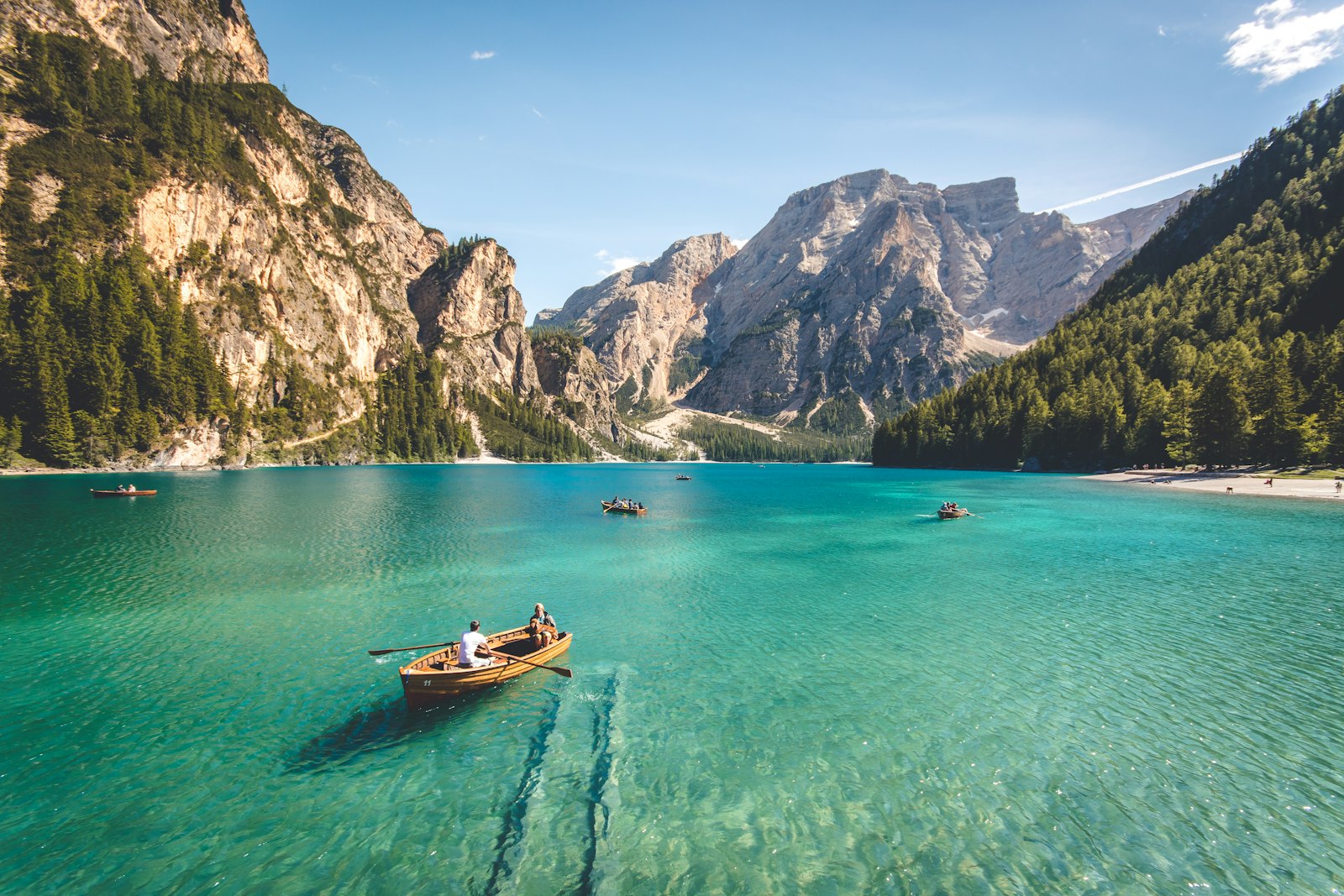
And maybe a Hugo shortcode-based figure:

Footnotes
Sometimes I’ll want footnotes to tuck asides out of the main text.1
I may have multiple footnotes in the same paragraph to see how they’re spaced.2
Tables
A simple table to test alignment, borders, and spacing:
| Feature | Example | Notes |
|---|---|---|
| Heading font | Schibsted Grotesk | Used for UI and tall titles |
| Body font | Serpentine Andada | Used for running text |
| Code font | JetBrains Mono | Used for inline and block code |
| Max line length | ~70 characters | Keeps reading comfortable |
| Line height | ~1.5–1.7 | Depends on exact font and size |
Another table with some longer text to check wrapping:
| Item | Description |
|---|---|
| Long content | This cell contains a few sentences of longer content to test line wrapping. |
| Short content | Short and sweet. |
Hugo Shortcodes and Other Bits
Sometimes I’ll drop in other shortcodes for videos, tweets, or custom components. For example:
Even if I don’t use this exact one often, it’s useful to see how embedded content affects the layout and spacing.
Edge Cases & Micro-Typography Checks
This section is just for small details.
- Em dash spacing: “word — word”, “word—word”, “word —word”.
- En dash ranges: 2010–2015, pp. 120–123.
- Numbers with separators: 1 234 567; 3.141 592 653 59.
- Superscripts and subscripts: x², H₂O, footnote markers 3.
Conclusion
If this page looks beautiful, balanced, and readable across:
- desktop and mobile,
- light and dark mode (if enabled),
- and for both text and code,
then my typography work is in pretty good shape.
If it doesn’t, I at least have a single, realistic document that makes it very obvious what still needs attention.